- Open the note for the relevant appointment. You could locate this note by searching in the relevant tab (Drafts, Autosaved, Completed) of the Notes dashboard, or by finding the note in your practice software and using the link at the end of your pasted notes.
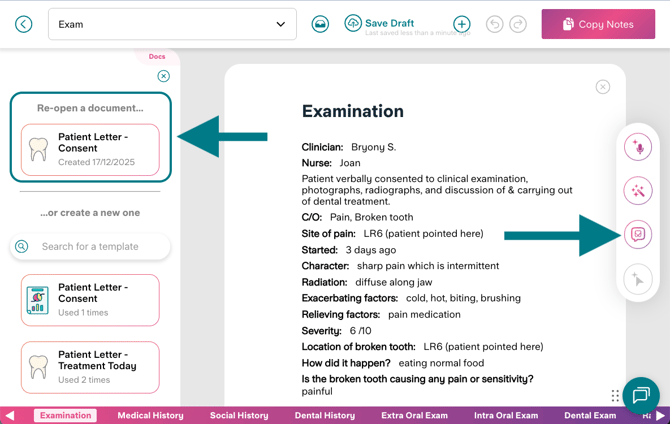
- Open the Docs sidebar, the third button from the top in your right-hand side panel.
- You'll see any Docs created from this note under the 'Re-open a document' heading at the top of the Docs sidebar.