
At the top of both the Notes and Docs dashboards, you'll see tabs labelled 'Drafts', 'Auto-saved', and 'Completed'. Within these tabs you'll be able to find any Notes or Docs you've created - so no note should ever be lost or inaccessible to you - simply look in the relevant tab.
Read on for an explanation of what you'll find in each.
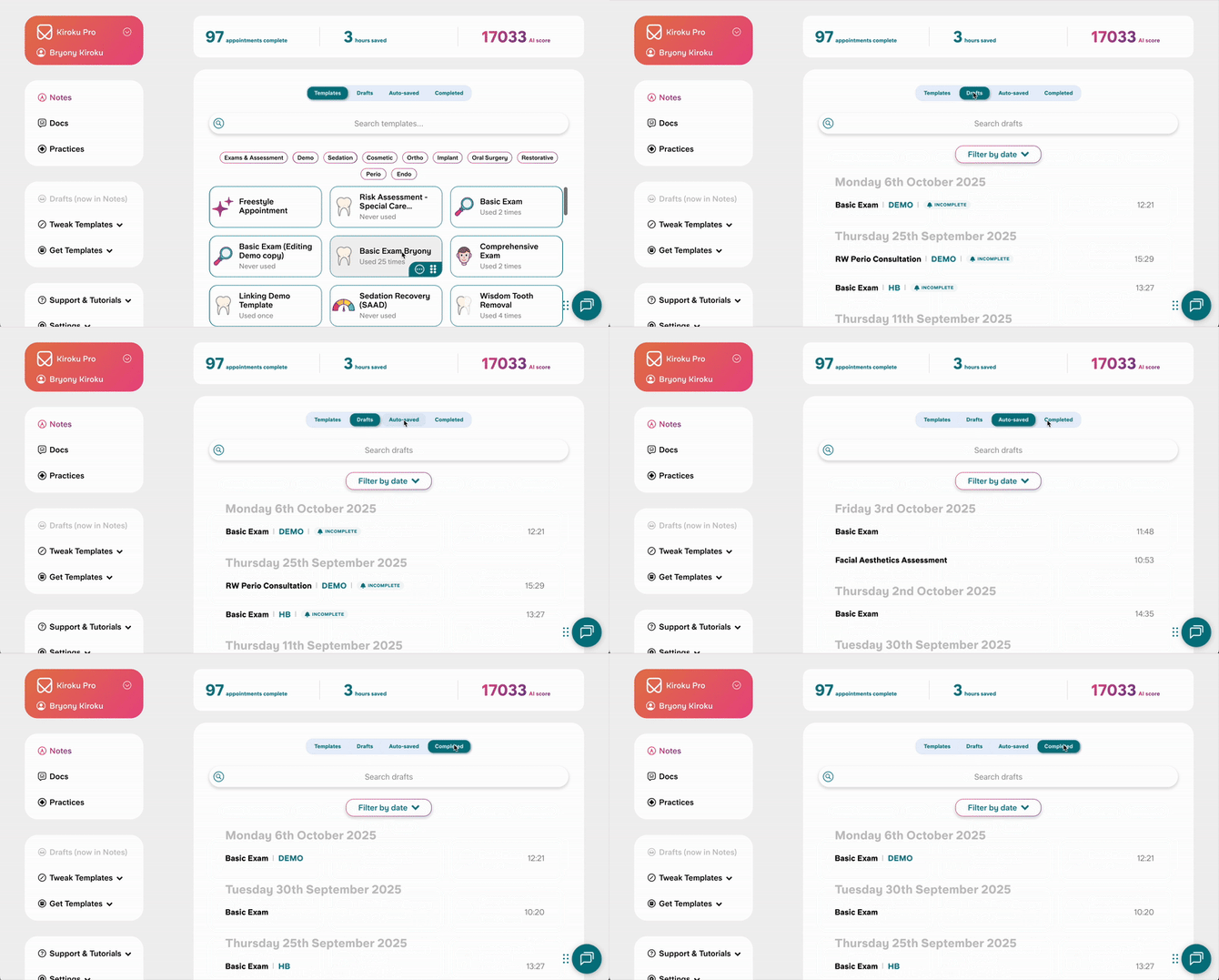

Drafts
'Drafts' shows any Notes or Docs that you have manually saved. See how to save drafts here.
Your last 10 drafts will show automatically on the dashboard. Scroll to the bottom and select 'Load more' to see more. You can also filter by date or search by name. Searching by name only searches the loaded drafts, you may need to load more to find what you're looking for.
Drafts are saved in our system indefinitely. See how to delete drafts here.
Autosaved
'Autosaved' shows any:
Notes that you have not manually saved, and have not copied.
Docs that you have not manually saved, and have not sent, copied or downloaded.
Your last 10 autosaved drafts will show automatically on the dashboard. Scroll to the bottom and select 'Load more' to see more. You can also filter by date or search by template name. Searching by name only searches the loaded drafts, you may need to load more to find what you're looking for.
Drafts are saved in our system indefinitely. See how to delete drafts here.
Completed
'Completed' shows any Notes that have been copied, and Docs that have been sent, copied or downloaded.
Your last 10 autosaved drafts will show automatically on the dashboard. Scroll to the bottom and select 'Load more' to see more. You can also filter by date or search by template name. Searching by name only searches the loaded drafts, you may need to load more to find what you're looking for.
It is not possible to delete completed notes.
A note on security
We follow the highest security protocols to protect your data and that of your patients. All data in Kiroku is end-to-end encrypted, and we are also GDPR and HIPAA compliant, as well as compliant with DCB0129 and the NHS Data Security and Protection Toolkit. Our voice features don't store audio recordings, but rather just the transcript.
For further details refer to our Trust Centre: https://trust.trykiroku.com/