---
title: Using Voice Notes on your Mobile Device
description: When you can't connect an external microphone to your computer, you can use Kiroku on your mobile phone
---
[Skip to content](https://help.trykiroku.com/using-voice-notes-on-your-mobile-device#main-content)
English
Show submenu for translations
[Contact Us](https://help.trykiroku.com/kb-tickets/new)
[](https://editor.trykiroku.com/login)
Open main navigation
Close main navigation
- English
Show submenu for translations
- [Contact Us](https://help.trykiroku.com/kb-tickets/new)
- [Contact us](https://help.trykiroku.com/kb-tickets/new)
[Contact us](https://help.trykiroku.com/kb-tickets/new)
Welcome to Kiroku's Help Centre!
- There are no suggestions because the search field is empty.
1. [Kiroku Help](https://help.trykiroku.com/)
2. [Getting started](https://help.trykiroku.com/getting-started)
3. [FAQs](https://help.trykiroku.com/getting-started#faqs)
# Using Voice Notes on your Mobile Device
## If you can't connect a microphone to your computer, you can use your phone instead
Where you're not able to use a microphone, or while you're waiting for yours to arrive, you can try out voice notes on your mobile or cell phone.
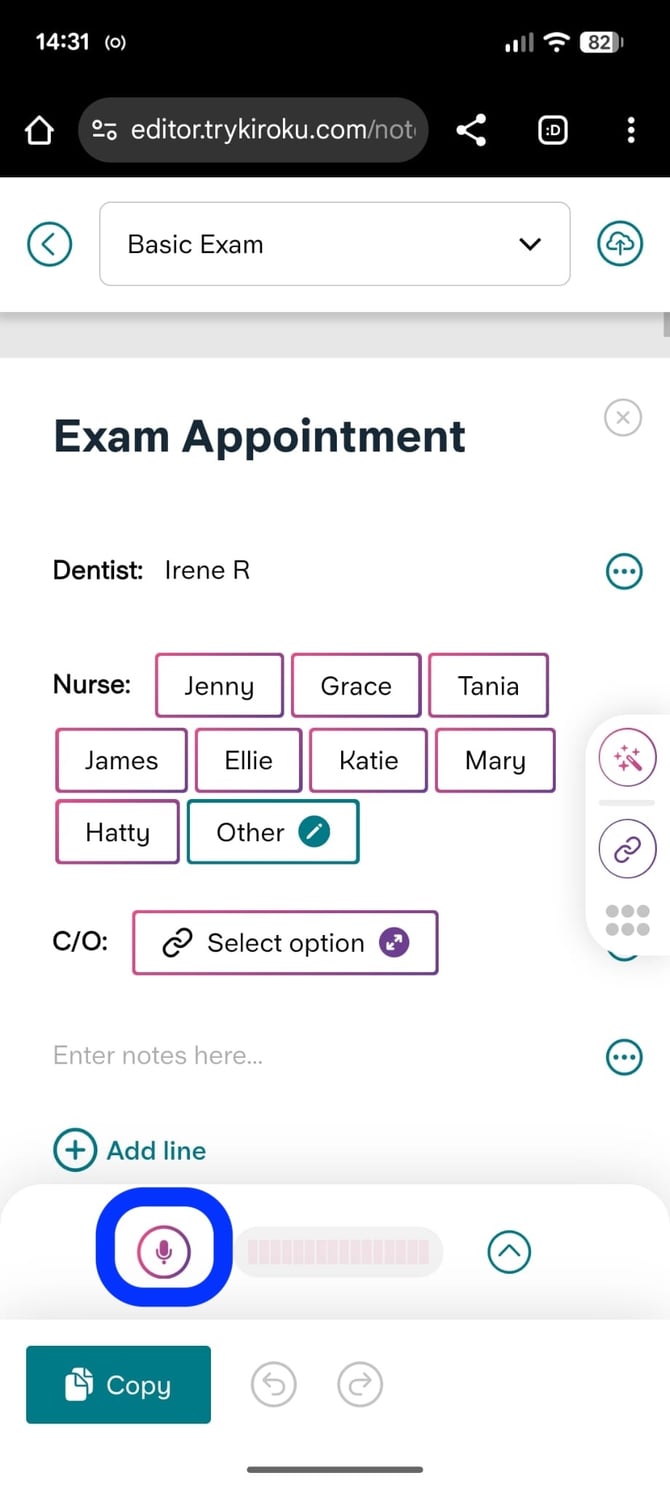
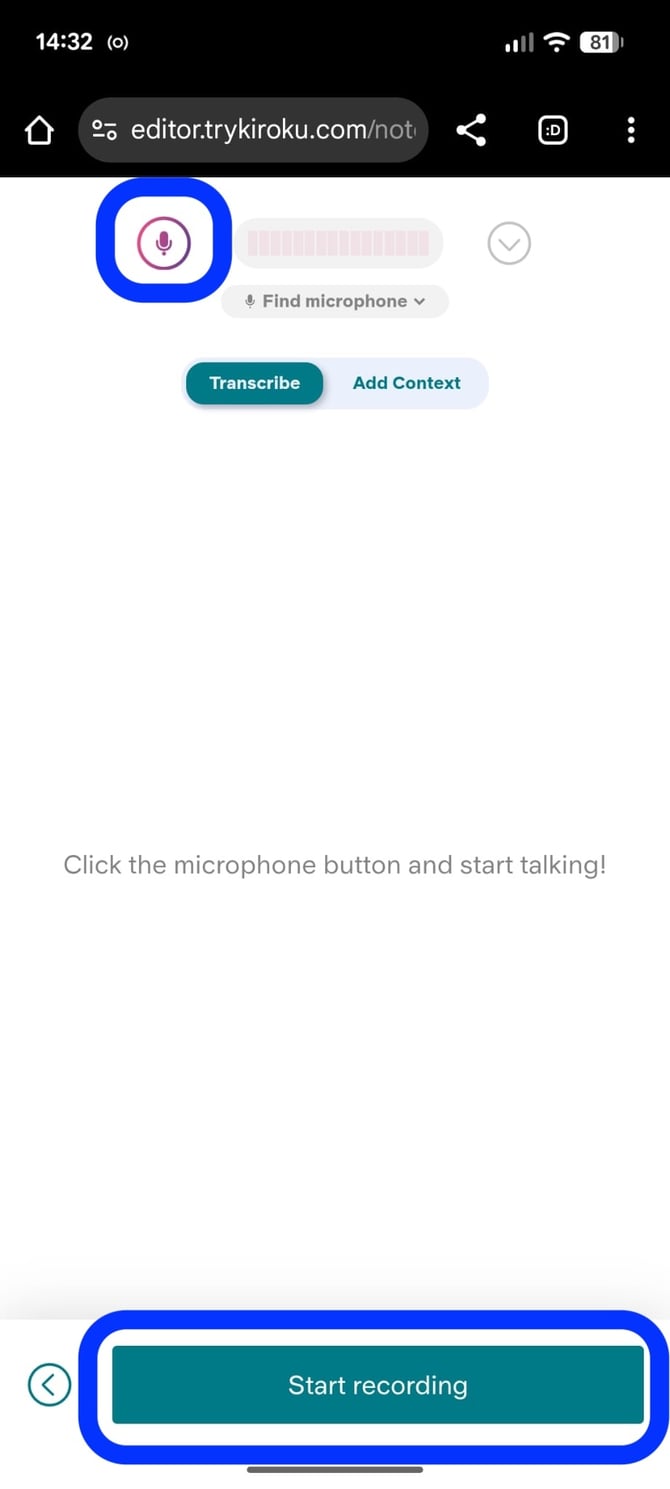
To do this, open Kiroku in a browser on your mobile and start the transcription.
| If you're using Co-Pilot with one of your templates, you can click the microphone icon to start transcription | If you're using Freestyle without a template, you can either click the microphone icon or click the "Start recording" button. |
| --- | --- |
|  |  |
### Getting notes from your device to your practice system
When you're finished transcribing your notes, you can save them as a draft (remember to leave any notes for yourself if useful!).
Once saved as a draft, you can simply log in to Kiroku on a desktop and reopen your notes to make any final edits and save your notes to the practice management system.
Here's a short video showing you how you'd use Kiroku instead of an external microphone for your dental notes.
### Giving your mobile device permission to use the microphone
To give an app (in this case, your chosen browser) permission to use your phone's microphone, open your phone's Settings, tap Apps or Permission Manager, select the specific app you want, tap Permissions, choose Microphone, and set it to "Allow only while using the app".
#### On Android
- Open Settings on your device.
- Tap Apps or App Management.
- Pick the app you want to change.
- Tap Permissions.
- Tap Microphone.
- Choose Allow only while using the app or Ask every time.
#### On iPhone
- Open Settings on your phone.
- Scroll down and tap Privacy & Security (or Privacy).
- Tap Microphone.
- Find the app in the list.
- Turn the switch on next to the app name.
- [Getting started](https://help.trykiroku.com/getting-started#main-content)
- [FAQs](https://help.trykiroku.com/getting-started#faqs)
- [Kiroku Templates](https://help.trykiroku.com/getting-started#kiroku-templates)
- [Note templates & appointments](https://help.trykiroku.com/note-templates-appointments#main-content)
- [Creating Notes](https://help.trykiroku.com/note-templates-appointments#creating-notes)
- [Editing Note Templates](https://help.trykiroku.com/note-templates-appointments#editing-note-templates)
- [Note FAQs](https://help.trykiroku.com/note-templates-appointments#note-faqs)
- [AI Notes Features](https://help.trykiroku.com/note-templates-appointments#ai-notes-features)
- [Docs](https://help.trykiroku.com/docs#main-content)
- [Using Docs](https://help.trykiroku.com/docs#using-docs)
- [Creating and Editing Doc Templates](https://help.trykiroku.com/docs#creating-and-editing-doc-templates)
- [Docs FAQs](https://help.trykiroku.com/docs#docs-faqs)
- [Account](https://help.trykiroku.com/account#main-content)
- [Account FAQs](https://help.trykiroku.com/account#account-faqs)
- [Your Subscription](https://help.trykiroku.com/account#your-subscription)
- [FAQs](https://help.trykiroku.com/faqs#main-content)
- [Kiroku Features](https://help.trykiroku.com/faqs#kiroku-features)
- [Troubleshooting](https://help.trykiroku.com/troubleshooting)
[](https://trykiroku.com/)
**Contact us:
Chat** is found at the bottom right of your screen on the website or when logged in
You can email us at **support@trykiroku.com**
To **WhatsApp** us scan the code below:

[mailto:Support@trykiroku.com](mailto:Support@trykiroku.com)
Copyright © 2026, Kiroku Limited
Registered Office: 20 Wenlock Road, London, England, N1 7GU
Registered Number: 10775183 in England & Wales.
